
The Locust of MM2 Locust Abilities and Counterplay
Documented monster actions, ability cues, recovery states, efficient hunt routes, and how survivors respond.
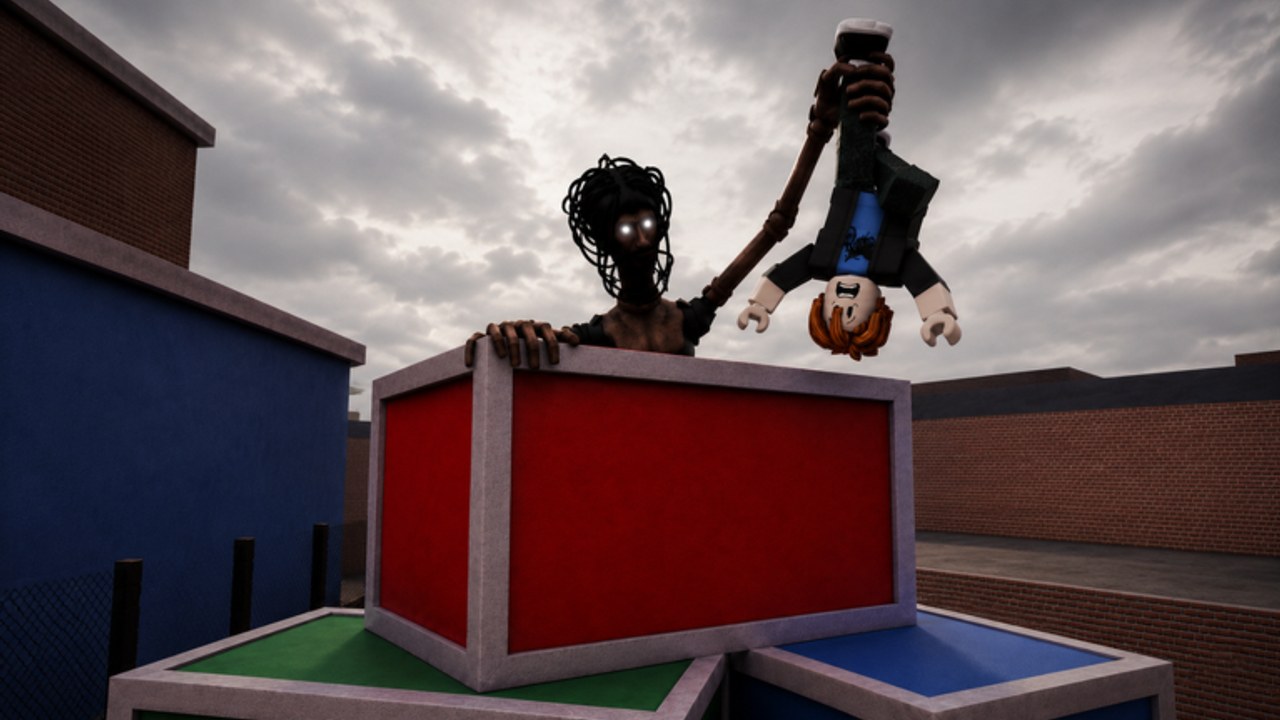
The Locust’s confirmed job is to pressure players trying to escape its nest. Current gameplay coverage shows a player-controlled monster with ordinary pursuit, a normal attack, and a special action. No normal first-party page publishes official skill names, damage, range, cooldowns, or a complete move list, so learn abilities from the current HUD and observable results.
This page documents what community reporting has confirmed, separates facts from community speculation, and tells you how to learn the rest safely in live rounds.
Ability status at a glance
| Ability | Status | What to do |
|---|---|---|
| Pursuit movement | Community reported | Learn speed from the HUD and observable chases |
| Regular attack | Community reported | Test in open space, confirm button and range |
| Q special | Community reported | Read the UI label and visible result |
| Additional abilities | Needs in-game testing | Do not publish without live HUD or creator evidence |
How to learn the regular attack
Test one attack in open space while facing a clear target direction. Watch the start animation, area, movement during the action, and recovery. If the attack misses, change only one factor — distance or angle — and retry later. Do not enlarge the claimed hitbox from one laggy contact.
During a chase, attack where the survivor must pass rather than swinging continuously from uncertain range. Corners and narrow doors can create a readable lane, but walls may block or distort the action. Preserve movement control after the attack so a miss does not end the chase.
How to learn the special action
A current walkthrough associates the Locust special with the Q key, but it does not provide reliable first-party details for every platform or effect. Find the special icon, read any label, activate it where the full result is visible, and watch whether the icon changes to a cooldown or empty state.
Describe what occurs before naming a purpose. A burst of movement, visual effect, or target reaction can support a factual result. It does not automatically establish damage, invisibility, stun, or an exact radius. If the action behaves differently against a survivor using equipment, record that interaction separately.
Building an efficient hunt
Start with a map loop that covers a central route, objective area, and cluster of hiding places. Pressure survivors away from progress instead of chasing the first avatar through a long empty loop. If a target carries visible objective progress, the chase may be worth more, but only if it does not leave every other route unguarded.
After losing sight, predict the second move. Survivors often turn a corner, continue to another branch, then hide. Check routes in that order rather than opening the nearest locker automatically. Listen for current game cues, but do not assume a sound belongs to a survivor until you reproduce it.
Survivor counterplay
Survivors should keep distance until they recognize the attack cue and practical range. Break sight around solid geometry, choose connected rooms, and avoid a one-door hide while watched. When a special icon or animation appears, prioritize a safe route instead of stopping to identify it during contact.
Defensive equipment may interrupt the Locust, according to current coverage. Its exact effect is not official. Use the taser for an escape-first response. As the monster, watch the survivor’s setup and approach from a route that reduces their clear firing lane.
Testing cooldown and range responsibly
Use the icon state or repeated current-round observations. Start a timer only after the action clearly activates, and stop when the UI visibly returns to ready. Repeat in the same build. Network delay, failed activation, and round transitions can make one measurement misleading.
For range, use map landmarks rather than script-provided stud values. Move from clearly out of range toward the target and record the first repeatable result. Do not use exploit overlays or altered hitboxes; they do not describe normal player behavior.
Failure recovery
If an action fails, continue the chase with movement and the regular attack rather than pressing every slot. After the target escapes, confirm that the role is active, the ability is equipped, the icon is ready, and the target condition is met. PRE-ALPHA bugs can leave a button stuck; reproduce once in another clean situation before rejoining.
Capture the platform, role, UI label, map landmark, target state, and update date. This lets a future guide separate a control problem from a balance change.
What not to claim yet
Do not publish exact damage, cooldowns, ranges, prices, skill names, a complete monster list, or guaranteed survivor counters without normal in-game or creator evidence. Cheat-script menus mentioning abilities or other monster names are not proof that those entries exist in the public experience.
Continue with monster controls for input setup, how to become the Locust for role access, and hiding spots for search routes.
Frequently Asked Questions
Quick answers for nest survival, codes, and Locust hunts.
What abilities does the Locust have?
Current community reporting confirms pursuit movement, a regular attack, and a Q special. No official first-party ability list exists. Learn from the live HUD and observable results.
How do I learn the Locust attack range?
Test in open space facing a clear target. Watch the start animation, area, movement during the action, and recovery. Use map landmarks rather than script values.
What does the Q special do?
Community reporting associates Q with the Locust special, but exact effects are not officially documented. Read the UI label and visible result in a live round.
How do survivors counter the Locust?
Keep distance, break sight around solid geometry, use taser for escape, and avoid one-door hides while watched. Camera flash can paralyze for about 10 seconds.
Why did my attack fail to fire?
PRE-ALPHA bugs can leave buttons stuck. Try once more in a clean situation. If it persists, continue with movement and the regular attack rather than pressing every slot.
Can I use scripts to get Locust abilities?
No. Do not use exploit overlays or altered hitboxes. They do not describe normal player behavior and violate the game's terms of service.