
The Locust of MM2 Key Locations in the Nest
Scan by landmark, confirm live prompts, and protect the carrier.
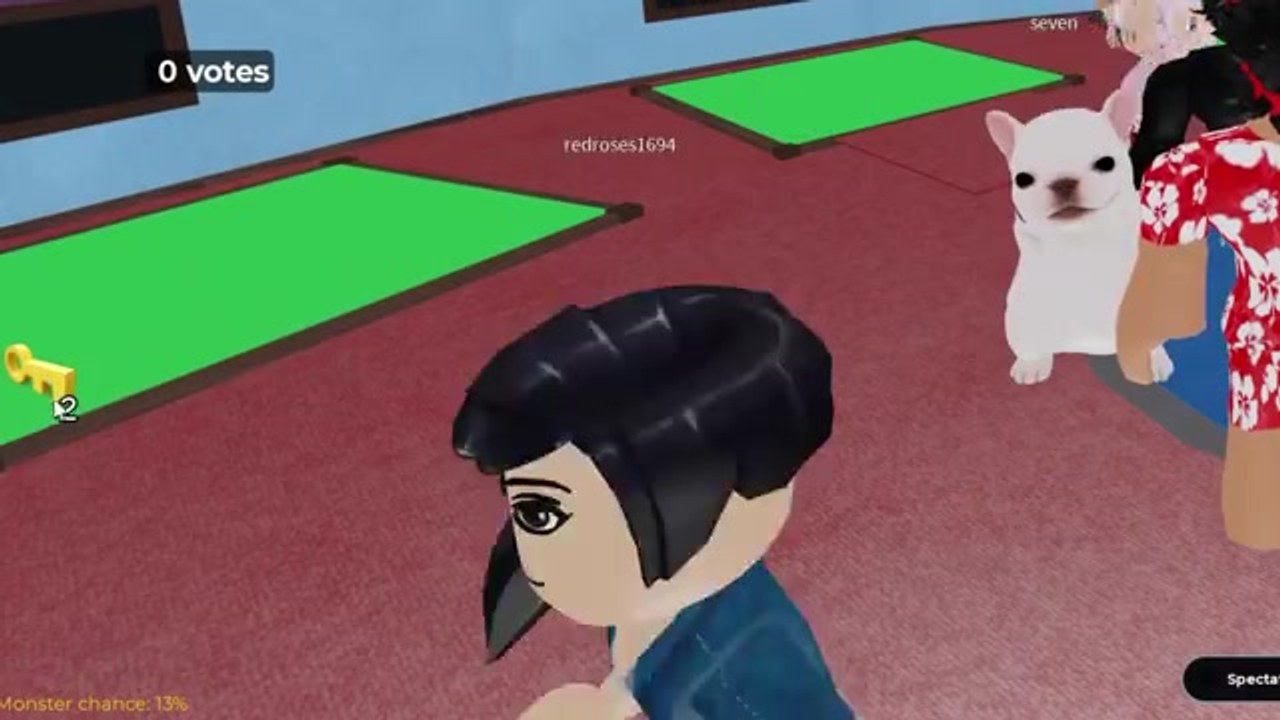
Keys are reported as escape-progress items in MM2 of The Locust. They appear on surfaces throughout the nest maps and are collected by approaching and interacting with them. No complete first-party spawn table is available, so this guide teaches a search system that works whether spawns are fixed, pooled, or changing with updates.
Keys are distinct from the colored cubes, wire cutters, and keycards found in House of The Locust — a separate Roblox experience. Verify you are playing Place ID 113385977463481 before following any key-related instructions.
Start with a zone scan
Choose the map’s central anchor and divide nearby routes into upper, central, lower, and side-room zones as the environment allows. Clear the visible surfaces along a safe loop first. Then enter branches and dead ends only when the Locust is elsewhere or you have support.
Look at tables, shelves, corners, floor edges, side rooms, lower sections, and other normal interactable areas. Current public coverage mentions keys in less obvious rooms and lower areas, but that is a search clue rather than a permanent coordinate.
Confirm a real pickup
Approach until the current interaction prompt appears. Use the displayed action and wait for the object, inventory, or objective UI to change. A decorative key shape or overlay label is not enough — you need the actual inventory or objective update.
If another player reaches it first, watch whether the key disappears for everyone, remains shared, or changes the team objective. Ownership and transfer behavior need in-game testing. Do not claim the key is personal or shared from a single crowded pickup.
Record the location clearly
Use five fields: current map identity, nearest stable landmark, floor or layer, room or surface type, and return route. ‘Blue key in the lower room beside central stairs’ is more useful than ‘key on the left.’ Add the check date because PRE-ALPHA changes can move spawns.
If you cannot confirm the formal map name, describe the visual identity cautiously and avoid presenting it as an official title. A screenshot of the vote panel or round title can establish the displayed name later.
Match the key without exposing the carrier
Move the carrier along connected routes toward doors or prompts that match the current UI. Other survivors should search adjacent areas and call the Locust. Do not gather the whole team around one lock. If the key fails, report the label, door landmark, and result, then leave the lane before the monster arrives.
Watch for a new prompt after a successful use. The first opened route may lead to another objective rather than the final exit.
Search while chased
Do not stop for a pickup when the Locust controls the only exit. Lead the threat away through a known loop, break sight, and return from another branch. If a teammate is chased, use that window to clear a zone, but stay alert to the monster changing targets.
If carrying a key makes you a priority target, tell teammates your route and let one support player hold a defensive item or call the threat. Keep doorways clear so the carrier can pass.
When a key is missing
If another player collected it, the object will be gone or the objective will have changed — ask for the label and carrier landmark, then search another zone. If the spawn moved, the old spot will be empty in a new round or after an update — run the full zone scan instead of refreshing one coordinate. If an interaction failed, step away, re-approach once, and capture the UI if it repeats.
After each round, keep only reproduced observations. Note whether the same key appeared in the same zone, another spot in the same zone, or a different area. Separate ‘found once’ from ‘seen in several current rounds.’ Do not calculate a spawn rate from a few attempts.
The strongest current guide may be a zone list rather than a coordinate list. It gets players to the right surfaces without promising a spawn that the PRE-ALPHA build can move.
Frequently Asked Questions
Quick answers for nest survival, codes, and Locust hunts.
Where do keys spawn in MM2 of The Locust?
Keys appear on surfaces along safe loops, in side rooms, and lower areas. Start with a zone scan from a central landmark, clear visible surfaces along your route, then enter branches only when the Locust is elsewhere or you have support.
How do I confirm a real key pickup?
Approach until the current interaction prompt appears. Use the displayed action and wait for the inventory or objective UI to change. A decorative key shape is not enough.
What should I record about each key location?
Use five fields: map identity, nearest landmark, floor or layer, room or surface type, and return route. 'Blue key in the lower room beside central stairs' is more useful than 'key on the left.'
How do I protect a key carrier?
Keep the carrier in a low-traffic area, assign one player to watch the approach, and call the Locust direction loudly enough for the carrier to hear and relocate.